Yoast vs RankMath: Which WordPress SEO Plugin Should You Actually Install

The Yoast vs RankMath debate gets more airtime than it deserves. Both plugins do roughly the same job. Both will leave you with the exact same ranking problem if you treat them as a strategy. Here is the honest comparison, including the part nobody publishing affiliate roundups will say out loud.
We audit WordPress sites for a living. We have seen Yoast sites rank, RankMath sites rank, and sites running both (yes, we have unstuck that mess) bury themselves with conflicting meta tags. The plugin choice is not where rankings are made or lost.
What each plugin actually does
Both plugins exist to format the on-page signals Google reads when it crawls a page. That includes:
- Title tag and meta description
- Open Graph and Twitter card tags
- XML sitemap generation
- Basic schema (Article, Organization, BreadcrumbList)
- Canonical URL handling
- Robots meta tag controls
Yoast and RankMath are functionally identical on this list. The differences are in defaults, UI, and what ships free versus paid.

Where they diverge
Free-tier feature breadth. RankMath ships more in the free version: a redirect manager, 404 monitor, schema generator with multiple types, and per-post focus keyword tracking for up to five keywords. Yoast Free covers the basics and pushes Premium for redirects and multi-keyword.
Database footprint. RankMath stores its data in custom tables. Yoast uses post meta. On large sites (10,000+ posts), the custom-table approach is faster to query but harder to migrate off. On a 30-page WordPress site, neither matters.
Schema output. RankMath’s free schema is more configurable. Yoast outputs a tighter, opinionated schema graph that is harder to break but harder to customise. Both validate against Google’s structured data guidelines.
Codebase maturity. Yoast is older and has fewer breaking releases. RankMath ships features faster and has had a few rough updates that broke sites running outdated PHP versions. If your host runs PHP 7.4 or older, Yoast is the safer bet.
UI philosophy. Yoast nags. The “improve your text” sidebar with red and orange dots is either useful guidance or a constant interruption depending on who you ask. RankMath is quieter by default and surfaces analysis on demand.
What neither plugin does
This is the part the comparison posts skip, and it is the only part that matters if your site is not ranking.
Neither Yoast nor RankMath touches:
- Core Web Vitals. LCP, INP, and CLS are decided by your theme, your image strategy, and your plugin stack. We covered this in detail in why WordPress Core Web Vitals problems live in the theme layer.
- Plugin conflicts. A bloated plugin stack will sink rankings regardless of how green your Yoast indicators are.
- Crawl budget. Auto-generated tag pages, archive pages, and parameter URLs eating your crawl quota.
- Internal link architecture. The plugin suggests adding a link. It does not build a topical cluster.
- Backlinks. Off-page authority sits outside any plugin’s reach.
- Content strategy. Whether you are targeting keywords your buyer actually searches.
If you are choosing between Yoast and RankMath because rankings are flat, you are optimising the wrong layer. The plugin is one tool inside a stack that needs work elsewhere.
How to choose
Three honest filters:
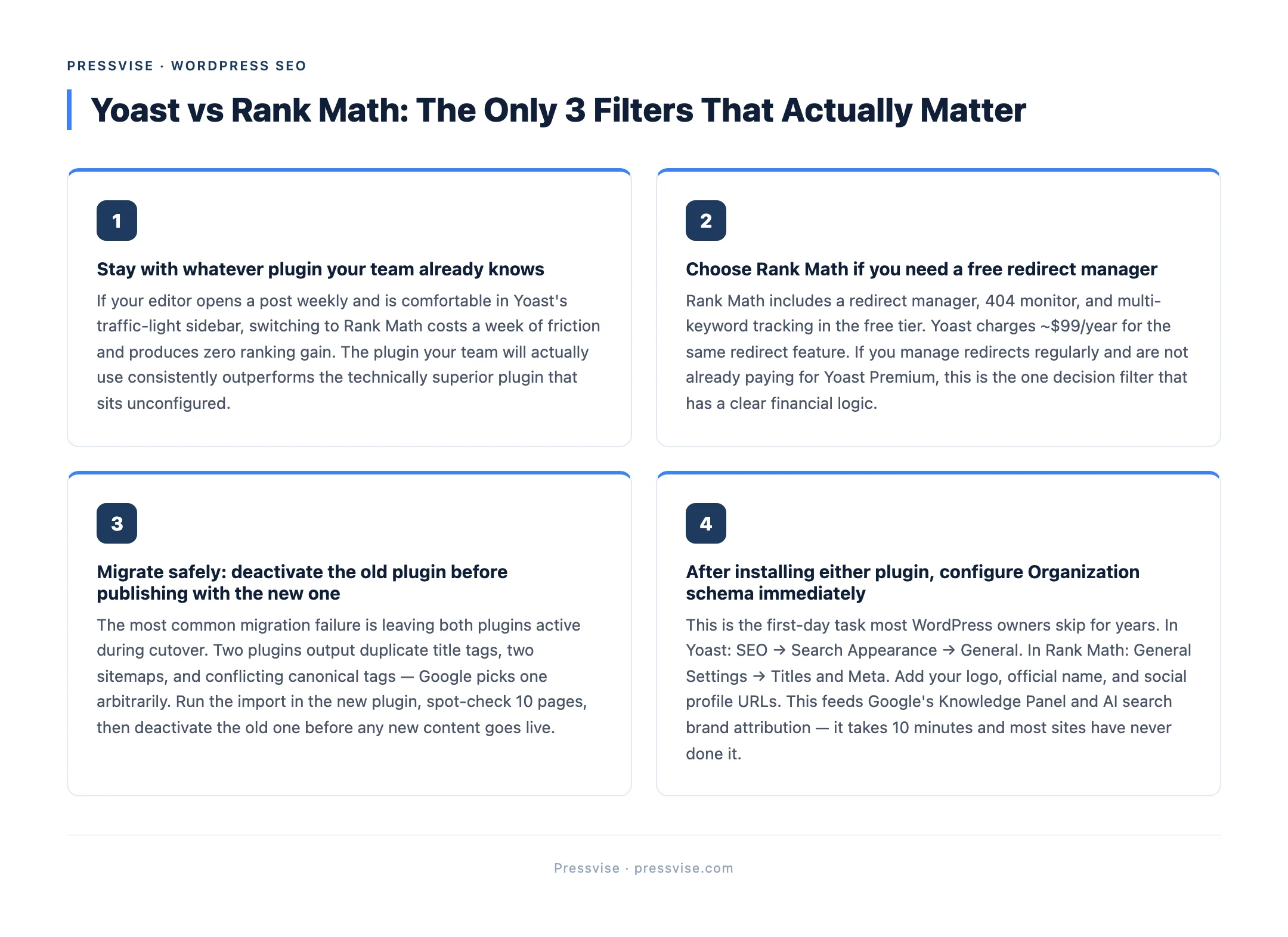
1. What does your team already know? If your editor opens a post weekly and is fluent in Yoast’s traffic-light system, switching to RankMath costs you a week of friction for no ranking gain. Stay.
2. Do you need redirects in the free tier? If yes, RankMath. Yoast Premium is around $99/year for the redirect manager alone, which is fine if you already pay for Premium for other reasons but a hard sell otherwise.
3. Is your host’s PHP version current? If you are on PHP 8.1+, either is fine. If you are still on PHP 7.4 (which you should not be in 2026), Yoast handles it more gracefully.
For most sites we audit, the answer is “stay with what you have, fix what is actually broken.” Switching plugins for the sake of switching adds risk (broken redirects, lost meta data, schema duplication) without an upside.
The migration trap
If you do switch, the most common failure we see is leaving both plugins active during the cutover. Two plugins outputting conflicting title tags, two sitemaps, two canonical declarations. Google picks one (usually the wrong one) and a chunk of pages drop out of the index for two weeks while it sorts the mess.
The migration sequence:
- Run the import inside the new plugin (Yoast to RankMath or RankMath to Yoast)
- Spot-check 10 pages: title, description, focus keyword, canonical
- Export your sitemap before deactivating the old plugin
- Deactivate the old plugin
- Resubmit the sitemap in Google Search Console
- Watch the index coverage report for two weeks
When the plugin is not the answer
If you have spent more than an hour on this decision, the decision itself is not the bottleneck. We work with WordPress sites where the plugin choice was the smallest problem on the audit list. The bigger ones (Core Web Vitals, plugin conflicts, crawl architecture, content strategy) are what move rankings.
That is what a WordPress SEO agency that fixes what Yoast can’t is for. The plugin is half a tool. The work is everywhere else, including the deeper WordPress technical SEO layer most plugin guides never touch. If you run an ecommerce store, the plugin choice matters even less compared to platform-specific issues, which we covered in WooCommerce SEO experts: what to look for before you hire.
If you are still on Yoast green lights and waiting for rankings, start with the audit checklist that actually matters instead.