WooCommerce SEO Experts: What to Look for Before You Hire

WooCommerce SEO experts know the platform’s specific ranking blockers: product schema, indexable variant pages, faceted nav, and theme bloat. Generalists call themselves WooCommerce experts after one Yoast install. Here’s how to tell them apart before you hire.
Why WooCommerce SEO is harder than generic WordPress SEO
WooCommerce ships with WordPress’s strengths and a long list of ecommerce-specific issues most WordPress SEO consultants never touch. Roughly 27% of all ecommerce sites worldwide run on WooCommerce, per BuiltWith’s ecommerce platform tracker. That’s a huge installed base, and most of it ranks below where it could.
Generic WordPress SEO covers theme performance, plugin conflicts, and URL architecture. WooCommerce SEO covers all of that plus a second layer:
- Product schema (the structured data Google needs to show rich results in search)
- Variant URLs (every “red, size large” combination can spawn an indexable page)
- Faceted navigation (filtered category pages can flood the index with thin duplicates)
- Cart and checkout UX, which feeds bounce-rate and engagement signals into rankings
- Plugin conflicts between WooCommerce, Yoast, caching layers, and image optimisers
A WordPress SEO consultant who has never published a product schema or audited variant indexing isn’t a WooCommerce expert. They’re a WordPress expert who hopes the same playbook works.

The WooCommerce ranking blockers most experts miss
In our experience auditing WooCommerce stores, four issues come up on nearly every site, and three of them are invisible without a technical audit.
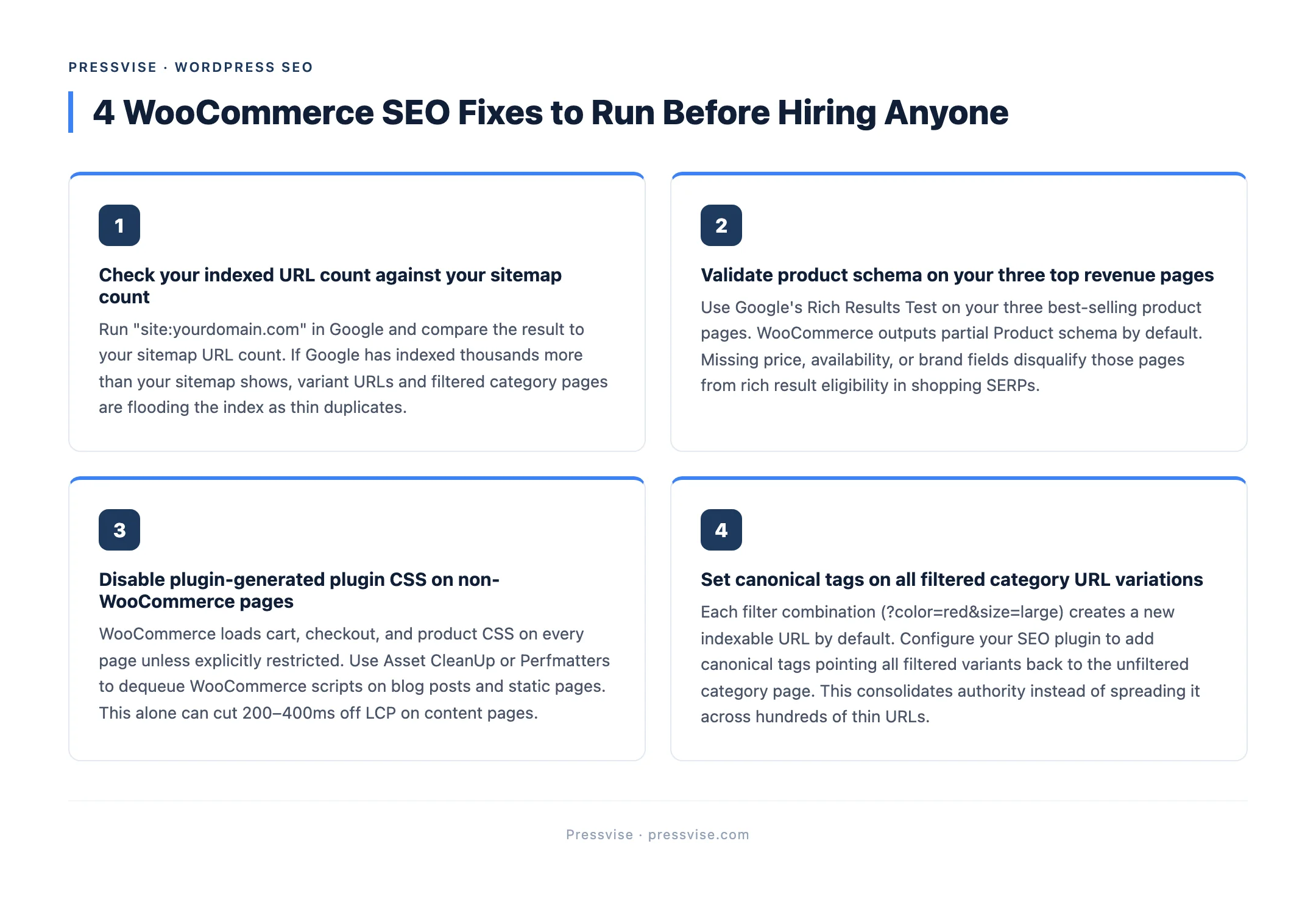
1. Missing or broken product schema. Google Search Central explicitly requires Product structured data for rich results in shopping SERPs. WooCommerce outputs partial schema by default but rarely the full set Google indexes (price, availability, review, brand, GTIN). Most stores lose rich-result eligibility because three required fields are blank.
2. Out-of-control variant indexing. A WooCommerce product with 5 colours and 4 sizes spawns 20 variant URLs. Without canonical tags or a robots strategy, Google indexes every combination as a separate thin page. The category page authority gets diluted across 20 near-duplicate URLs.
3. Faceted navigation chaos. Filter UI (“show me size 8 in red under $50”) generates parameter URLs by default. These get crawled, indexed, and compete with the canonical category page. We’ve audited stores with 12,000 indexed URLs where only 200 should be public.
4. Theme bloat killing Core Web Vitals. Google’s web.dev Core Web Vitals docs list LCP, INP, and CLS as ranking factors. WooCommerce themes built for visual customisation (sliders, hero animations, popup builders) routinely fail LCP at 4-6 seconds when 2.5 is the threshold. The fix is in the theme layer, not the plugin layer. A generalist installs a caching plugin and calls it done.
A real WooCommerce SEO expert names these issues in the first audit. A generalist will run a Lighthouse score and recommend “improving page speed.”
What a real WooCommerce SEO expert audits first
Before any keyword research or content plan, a WooCommerce-specialist audit covers:
- Product schema completeness across the catalogue (not just one sample product)
- Canonical strategy for variants, filtered URLs, and pagination
- Indexed URL count vs. expected URL count from
sitemap.xml - Theme-layer Core Web Vitals (LCP, INP, CLS) on category, product, and cart pages
- Internal linking from category pages to top revenue products
- Plugin conflict map (WooCommerce + SEO plugin + caching + image optimiser + analytics)
- Checkout UX impact on engagement signals (Google increasingly weights post-click behaviour)
This is a 6-12 hour audit, not a Lighthouse export. If a vendor sends you their “free SEO audit” that runs in 30 seconds and looks like a Yoast plugin screenshot, they’re not running a WooCommerce audit. They’re running a generic WordPress audit on a store.
For background on what Yoast actually does and doesn’t fix, see our piece on why Yoast’s green lights don’t mean rankings.
Hiring red flags
Five signals that the “WooCommerce SEO expert” you’re evaluating is a generalist with a service page:
| Red flag | Why it matters |
|---|---|
| WooCommerce is one of 15+ service pages on their site | They sell to anyone with a website. WooCommerce is a tab, not a specialty. |
| No published pricing | If the price changes based on what they think you’ll pay, the price isn’t the price. |
| Service area is one US city | Local digital agencies optimise for local lead gen, not national ecommerce SEO. |
| Can’t name three WooCommerce-specific ranking blockers in the first call | If they can’t say “variant indexing” or “product schema completeness” without prompting, they don’t know the platform. |
| ”We do Shopify, WooCommerce, and BigCommerce” | Shopify SEO and WooCommerce SEO have almost nothing in common at the technical layer. Specialist on one means generalist on all. |
We covered the broader specialist-vs-generalist pattern in our WordPress SEO experts: specialists vs generalists comparison, which applies to the WooCommerce hiring decision specifically.
How Pressvise approaches WordPress ecommerce
Pressvise works exclusively on WordPress, including WooCommerce, Easy Digital Downloads, and custom WordPress ecommerce builds. Pricing is $750/month for established sites and $1,200/month for new domains, published on the homepage with no call required to get a number. Every engagement starts with the technical audit above. If you want the full scope of what’s included, the WordPress technical SEO service page breaks it down.
FAQ
How much does WooCommerce SEO cost? Specialist WooCommerce SEO ranges from $750/month (productized, published pricing) to $6,000/month (traditional ecommerce agencies with a WooCommerce service line). Mid-range $1,500-$3,000/month is most common. Price alone doesn’t indicate quality. Published pricing usually does.
How long does it take to see results from WooCommerce SEO? Low-competition product and category keywords can rank in 8-12 weeks once the technical audit fixes are deployed. Variant indexing and Core Web Vitals fixes often produce immediate gains for already-ranking pages. A full WooCommerce keyword cluster takes 3-6 months for a new ecommerce site to compound.
Do I need a WooCommerce specialist or can a generalist agency handle it? A generalist agency with WooCommerce experience (real product schema work, variant indexing fixes shipped, theme-layer CWV optimisation) can handle it. A generalist with WooCommerce as a service page they wrote for SEO can’t. The test is whether they name platform-specific issues without you prompting.
What’s the difference between Yoast and a WooCommerce SEO expert? Yoast configures on-page meta tags and outputs basic schema. A WooCommerce SEO expert audits product schema completeness, fixes variant URL indexing, optimises theme-layer Core Web Vitals, and builds a content strategy around buyer-intent product and category queries. Yoast is one tool inside the workflow, not the workflow.
If your WooCommerce store is sitting on traffic it isn’t ranking for, the gap is usually technical and platform-specific. See if Pressvise is the right fit for your store.