WordPress SEO Audit Checklist: What to Actually Check (Not Lighthouse)

Most WordPress SEO audits we see from prior agencies are a Lighthouse score export, a Yoast plugin screenshot, and a list of meta descriptions to rewrite. That is not an audit. That is a 20-minute task billed as strategic work.
A real WordPress SEO audit checklist covers seven categories, in roughly this order, because the upstream items determine whether the downstream ones are worth fixing. Here is what each one looks like and what we are actually checking inside it.
1. Crawl architecture
Before anything on-page, we need to know what Google can find and what it is wasting crawl budget on.
What we check:
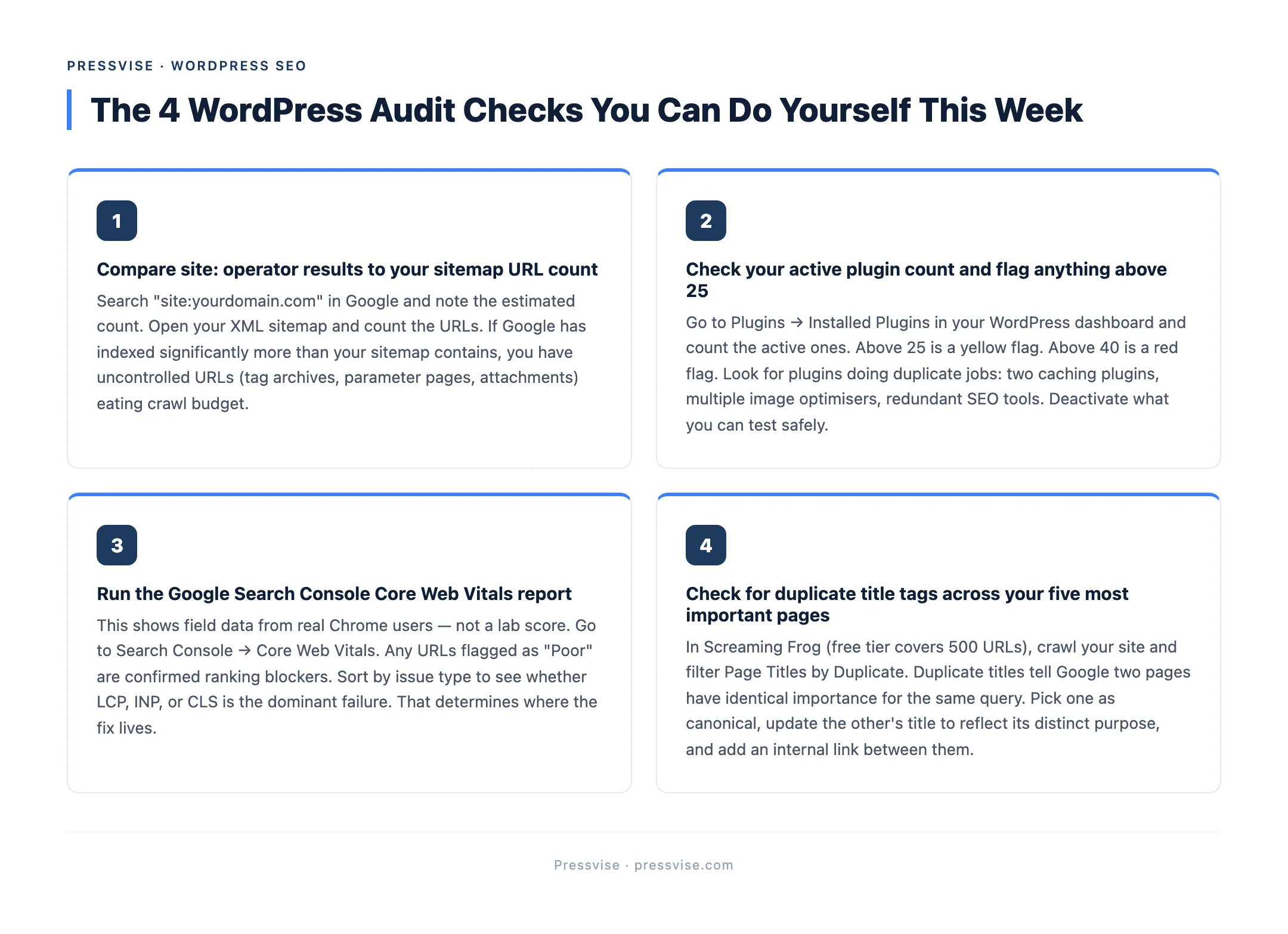
- Indexed URL count vs sitemap URL count. If
site:yourdomain.comreturns 8,400 results and your sitemap has 240 URLs, you have 8,160 pages Google found that you do not control. Tag archives, parameter URLs, attachment pages, paginated comment pages. - Robots.txt directives. Most WordPress sites ship with a default robots.txt that blocks
/wp-admin/and nothing else. That is fine for a brochure site. It is wrong for an ecommerce or content site. - XML sitemap accuracy. Yoast and RankMath both auto-generate sitemaps. They both routinely include pages that should be noindex (thin tag pages, draft archives) and exclude pages that should be indexed (custom post types).
- Canonical strategy. Pagination, parameter URLs, print views. Each one needs a canonical declaration that points where you want authority to consolidate.
Tooling: Google Search Console index coverage report, Screaming Frog crawl, manual site: operator.

2. Core Web Vitals at the theme layer
Once we know what is being crawled, we measure how fast the important pages render.
What we check:
- LCP (Largest Contentful Paint). Threshold is 2.5 seconds. Most WordPress themes built around hero sliders and large above-the-fold images miss this by 1 to 3 seconds.
- INP (Interaction to Next Paint). New as of 2024, replaces FID. Heavy JavaScript from page builders (Elementor, Divi) is the most common failure source.
- CLS (Cumulative Layout Shift). Lazy-loaded images without explicit dimensions, web fonts loading after first paint, and ad slots all push CLS over 0.1.
The honest part most audits skip: the fix is in the theme, not the caching plugin. We covered why in WordPress Core Web Vitals problems and the theme layer. A caching plugin can squeeze 30% off LCP. A theme rebuild can take it from 4.2s to 1.6s.
Tooling: PageSpeed Insights field data (real users, not lab), Chrome User Experience Report, GSC Core Web Vitals report.
3. Plugin and theme conflict map
WordPress is a plugin ecosystem. The audit has to map what is loaded and where it conflicts.
What we check:
- Total active plugins (above 25 is a yellow flag, above 40 is red)
- Plugins that load on every page when they only need to load on specific templates
- Multiple plugins doing the same job (two cache plugins, three image optimisers, redundant SEO plugins)
- PHP version compatibility against the WordPress version
- Theme child theme presence (or lack thereof)
A bloated plugin stack is one of the most common ranking blockers in WordPress, and one of the easiest to mis-diagnose because no single plugin looks like the problem.
4. On-page signals (the part Yoast covers)
This is where most agency audits start. We do it fourth because if items 1 to 3 are broken, fixing on-page is rearranging deck chairs.
What we check:
- Title tag uniqueness across the site (
Screaming Frog → Page Titles → Duplicates) - Meta description coverage and length
- H1 presence and uniqueness per page
- Internal link count and anchor text distribution
- Image alt text coverage (not just whether alt exists, but whether it describes the image)
- Schema markup completeness (Article, Organization, BreadcrumbList minimum, plus Product or LocalBusiness where relevant)
This is the layer Yoast and RankMath actually help with. It is also the layer where Yoast green lights do not mean rankings if everything above is broken.
5. Content quality and topical depth
Now we move from technical to content.
What we check:
- Cluster coverage (are you ranking for one keyword and missing the 10 sibling queries that should support it?)
- Content cannibalisation (two pages targeting the same query, splitting authority)
- Thin content (pages under 300 words with no clear search intent)
- Outdated content (blog posts referencing 2020 stats in 2026)
- Internal linking depth from pillar pages to spokes
6. Backlink profile health
What we check:
- Referring domain count and quality (Ahrefs DR, Moz DA as one input)
- Toxic links (PBN footprints, link farms, hacked-site placements)
- Lost backlinks in the last 12 months
- Anchor text distribution (over-optimised anchors trigger algorithmic flags)
A WordPress site with strong on-page and broken authority will plateau. A WordPress site with weak on-page and strong authority often outranks it. The audit has to weigh both.
7. Competitive gap
Finally, we compare the site against the top three ranking competitors for primary commercial keywords.
What we check:
- Word count delta (not because longer wins, but because thin content losing to depth is fixable)
- Schema delta (competitors with Article, Product, or Review schema getting rich results you are not — note FAQ and HowTo rich results were retired by Google in 2023, but the schema still helps with AI Overviews and AI citations)
- Backlink delta (where do they have links you do not?)
- Content gap keywords (queries they rank for that you do not even target)
What the deliverable looks like
A WordPress SEO audit done properly produces:
- A 7-section written report (one per category above)
- A prioritised fix list (impact vs effort, top 10 items)
- A timeline for what gets fixed in Month 1, 2, and 3
- Screenshots and data, not vague assertions
If your last audit was a Lighthouse PDF, that is not what you paid for.
This audit is the first thing we run for new clients at a WordPress SEO agency built for this stack. Month 1 is technical fixes from items 1 to 4 under our WordPress technical SEO service. Month 2 onward is content and authority. The order matters.
For ecommerce sites, the audit gets a second layer specific to product schema, variant indexing, and faceted nav. We covered those in WooCommerce SEO experts: what to look for before you hire.
If you are evaluating who to hire, the agency vs freelancer breakdown covers what each model gets right and what each one misses.