How to Hire a WordPress SEO Expert Without Getting Burned Again

To hire a WordPress SEO expert, evaluate their platform-specific skills: theme-layer performance fixes, plugin conflict resolution, and URL architecture restructuring. The title covers everyone from a $15/hour VA configuring Yoast to a senior specialist rebuilding your site architecture.
If you have been burned before, you already know this gap exists. You just did not have a framework for spotting it before signing. This guide gives you one.
Why hiring a WordPress SEO expert is harder than it looks
The WordPress SEO market has no credentialing system and no barrier to entry. Anyone who has installed a plugin can call themselves an expert.
Search “hire WordPress SEO expert” and you get marketplace after marketplace. Fiverr, Upwork, Toptal, Clutch. Hundreds of profiles, most with identical descriptions: “I will optimize your WordPress site for Google.” The descriptions sound the same because the providers are filtering for the same broad keyword, not demonstrating specific capability.
This creates a real evaluation problem for the buyer. WordPress SEO spans at least four distinct skill sets: technical performance at the theme and server layer, on-page content optimization, site architecture and internal linking strategy, and plugin stack management. Most providers are competent in one, maybe two. Very few cover all four. And the marketplace format gives you no way to tell who does what until you have already paid for the first month.
When clients come to us after a bad experience with a previous provider, the pattern is almost always the same. They hired someone who knew the plugin layer but had never opened a theme file. The site looked “optimized” inside the dashboard. It was not optimized where Google actually measures.

5 questions to ask before you hire
The fastest way to separate a WordPress SEO specialist from a generalist wearing the WordPress label is to ask questions that require platform-specific answers.
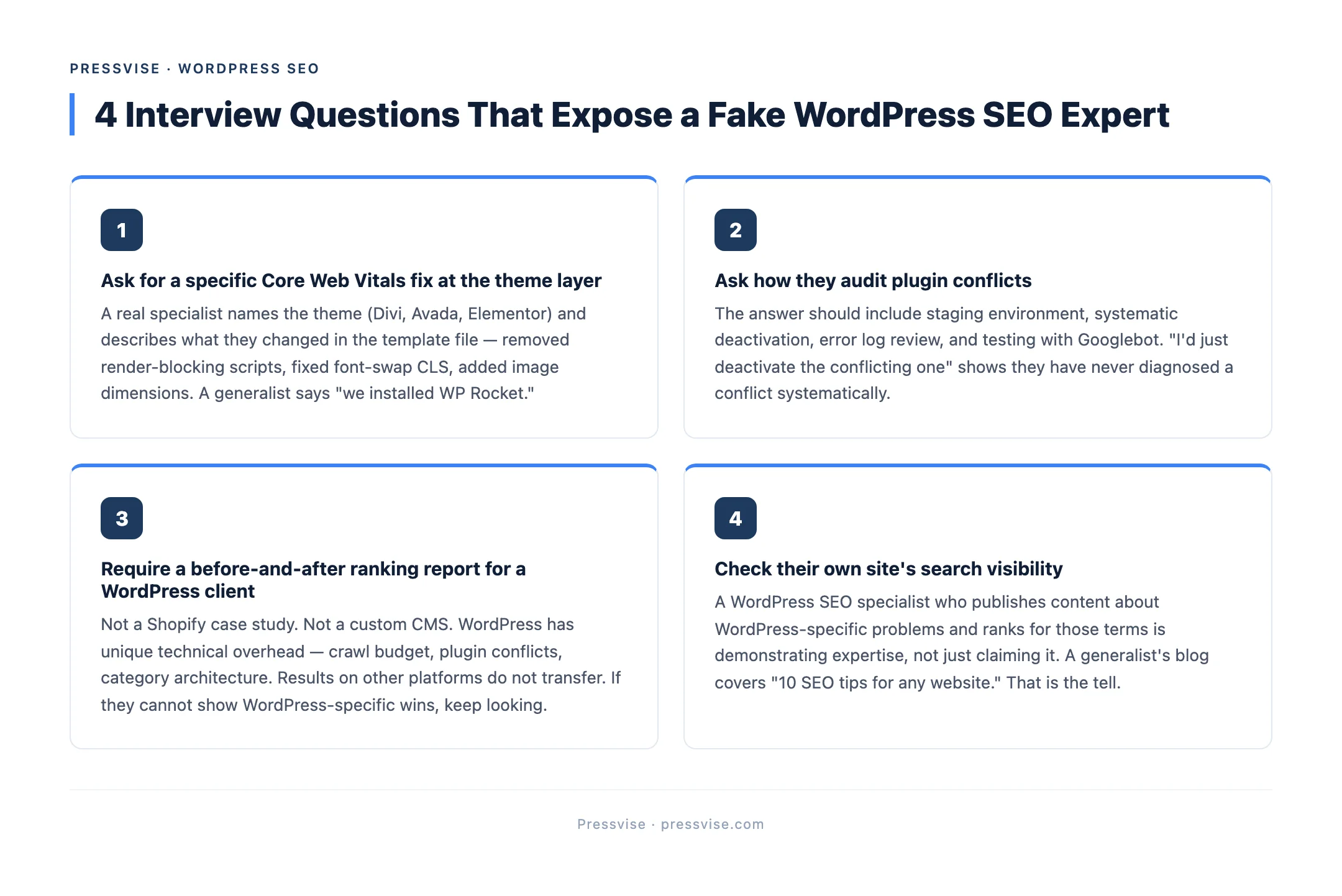
1. “Can you show me a Core Web Vitals fix you made at the theme layer?”
Core Web Vitals are Google’s metrics for page speed, visual stability, and interactivity (LCP, CLS, and INP). On WordPress, these problems almost always originate in the theme or plugin code, not in the content. If the answer references only a caching plugin, they have not worked at the right layer.
2. “What is the first thing you would audit on my WordPress site?”
You want to hear something specific. “I would check your plugin stack for conflicts, review your crawl stats in Google Search Console, and look at your theme’s render-blocking resources.” If the answer is “I would install Yoast and run a scan,” that tells you the depth of their process.
3. “How do you handle plugin conflicts?”
Plugin conflicts — situations where two or more WordPress plugins interfere with each other’s functionality — are one of the most common causes of crawling and indexing failures on WordPress. A real specialist will describe a systematic process: staging environment, deactivation testing, error log review. Not “I would just deactivate the conflicting one.”
4. “What does your month 1 deliverable look like?”
This question reveals whether they operate on a structured timeline or make it up as they go. A clear answer includes a technical audit with fixes applied (not a PDF of suggestions), a content plan, and analytics setup. Vague answers like “we will start optimizing your pages” are a signal to keep looking.
5. “Can I see a before-and-after ranking report for a WordPress client?”
Specifically a WordPress client. Not a Shopify site, not a custom build. WordPress has its own technical overhead — its own crawl budget challenges, its own speed bottlenecks, its own plugin ecosystem. Results on other platforms do not transfer directly.
In our onboarding process, we ask these same questions internally before taking on any new client. If we cannot articulate the answers clearly, we are not ready to charge for the work.
Red flags that mean you should walk away
Not every bad hire announces itself with a missed deadline. Some warning signs show up in the sales conversation, before any contract is signed.
They promise page 1 in 30 days. SEO timelines depend on domain age, competition, existing content, and technical debt. Anyone guaranteeing a specific ranking within a fixed window either does not understand how search works or is planning to use tactics that will get your site penalized.
They recommend installing 3 or more SEO plugins. WordPress sites need one SEO plugin. One. Running Yoast alongside All in One SEO alongside Rank Math creates duplicate meta tags, conflicting sitemaps, and schema markup that contradicts itself. A specialist knows this. A generalist installs everything and hopes for the best.
They have never mentioned your theme’s impact on performance. Your WordPress theme controls a massive portion of your technical SEO profile. If the conversation is entirely about content and keywords with zero mention of theme performance, they are working at the surface layer only.
Their “WordPress expertise” is knowing how to use Yoast. Yoast is a content formatting tool. It checks keyword density, meta descriptions, and readability. That is useful, and it is about 15% of what WordPress SEO actually involves. Equating Yoast proficiency with WordPress SEO expertise is like equating spell-check with professional editing.
They cannot explain the difference between on-page optimization and technical SEO. On-page covers content, headings, meta tags, and internal links. Technical SEO (a systematic audit of a site’s crawlability, indexability, and performance infrastructure) covers server response codes, crawl budget, schema markup, site speed, and security. Both matter. If a provider treats them as the same thing, they are missing half the picture.
What a good WordPress SEO expert delivers in the first 90 days
A structured engagement should produce measurable progress within three months. Here is what that looks like, broken into deliverable milestones.
Month 1: Technical foundation. Full technical audit with fixes applied — not a 40-page PDF that sits in your inbox. Plugin stack reviewed and cleaned. GA4 and Google Search Console configured and verified. Keyword research completed with a content cluster (a group of related pages targeting variations of a core topic) mapped to your business. First authority article published. You should see your crawl errors drop and your indexed page count stabilize.
Month 2: Content and structure. Two blog posts published, each targeting a specific keyword in your cluster. Internal linking structure connected between your service pages, blog content, and pillar guide. Core Web Vitals monitored and any regressions from plugin updates addressed. First monthly report delivered with actual data, not screenshots of a dashboard.
Month 3: Early traction. By month 3, you should see 2 to 5 cluster keywords appearing in Google’s top 50 results. First organic traffic arriving on blog content. Monthly report showing trend lines, not just snapshots. A clear plan for months 4 through 6 based on what the data shows.
If your provider cannot articulate this kind of timeline during the sales conversation, ask what they deliver instead. “We will work on your SEO” is not a deliverable. It is a description of time spent.
Where to find legitimate WordPress SEO experts
Marketplaces are not the right venue for this search. Too much noise, too little differentiation, and the platform’s incentive is to show you volume, not quality.
Look for agencies or consultants that specialize in WordPress. Not “we work with WordPress, Shopify, Wix, Squarespace, and custom builds.” Specialization means they have invested in understanding the platform’s specific technical layer — its theme architecture, its plugin ecosystem, its database structure, its caching behavior.
Check their own content. A legitimate WordPress SEO agency that publishes articles about WordPress-specific problems — plugin conflicts, theme performance, migration pitfalls — is demonstrating expertise, not just claiming it. Compare that to a generalist whose blog covers “10 SEO tips for any website.”
Look at their pricing transparency. Specialists tend to publish pricing because they have defined what the engagement includes. Generalists tend to hide pricing behind “request a quote” because the scope changes with every client.
And look at their own search performance. If a WordPress SEO consulting firm does not rank for its own target keywords, that tells you something important. A mechanic whose car does not run is not the mechanic you want.
WordPress currently powers over 40% of all websites on the internet. The platform has its own performance characteristics, its own technical debt patterns, and its own optimization requirements. Hiring someone who understands those specifics — not just someone who has heard of them — is the difference between a provider who understands why generalists fall short and one who delivers results.
FAQ
What questions should I ask a WordPress SEO expert before hiring?
Ask about a specific Core Web Vitals fix they made at the theme layer and how they handle plugin conflicts. These questions require platform-specific knowledge that generalists cannot fake. If they cannot name a theme they have fixed or a plugin conflict they have resolved, they are likely a generalist with a WordPress label.
How do I evaluate a WordPress SEO expert’s past work?
Request ranking reports showing keyword positions over time for WordPress clients specifically. Check whether they publish content about WordPress-specific problems like theme performance and plugin conflicts. Review their own site’s search visibility — if they rank for competitive terms, their process works.
What are the red flags when hiring a WordPress SEO provider?
Guaranteed rankings within a fixed timeline and recommendations to install multiple SEO plugins simultaneously are the clearest red flags. Also watch for no mention of your theme’s impact on Core Web Vitals and an inability to distinguish between on-page optimization and technical SEO. Walk away if the sales conversation focuses entirely on content keywords with no discussion of your site’s technical infrastructure.